Ecommerce user experience is the complete path a customer follows from product discovery to payment and post-purchase confirmation. It includes navigation, search, product information, mobile usability, cart behaviour, checkout forms, performance, accessibility, and the confidence a store creates at each step.
Good ecommerce UX does not depend on decorative effects or aggressive sales tactics. It reduces avoidable uncertainty. Customers should be able to find a relevant product, understand what they are buying, compare meaningful options, see the expected cost, correct mistakes, and complete checkout without guessing.
This practical guide helps Canadian online stores identify the highest-value improvements without assuming that every store needs a full redesign. Start with the journey, observe where people struggle, and fix the clearest obstacles first.
Map the shopping journey before changing the interface
An ecommerce site is a connected system. Improving one screen without understanding what happens before and after it can move friction rather than remove it.
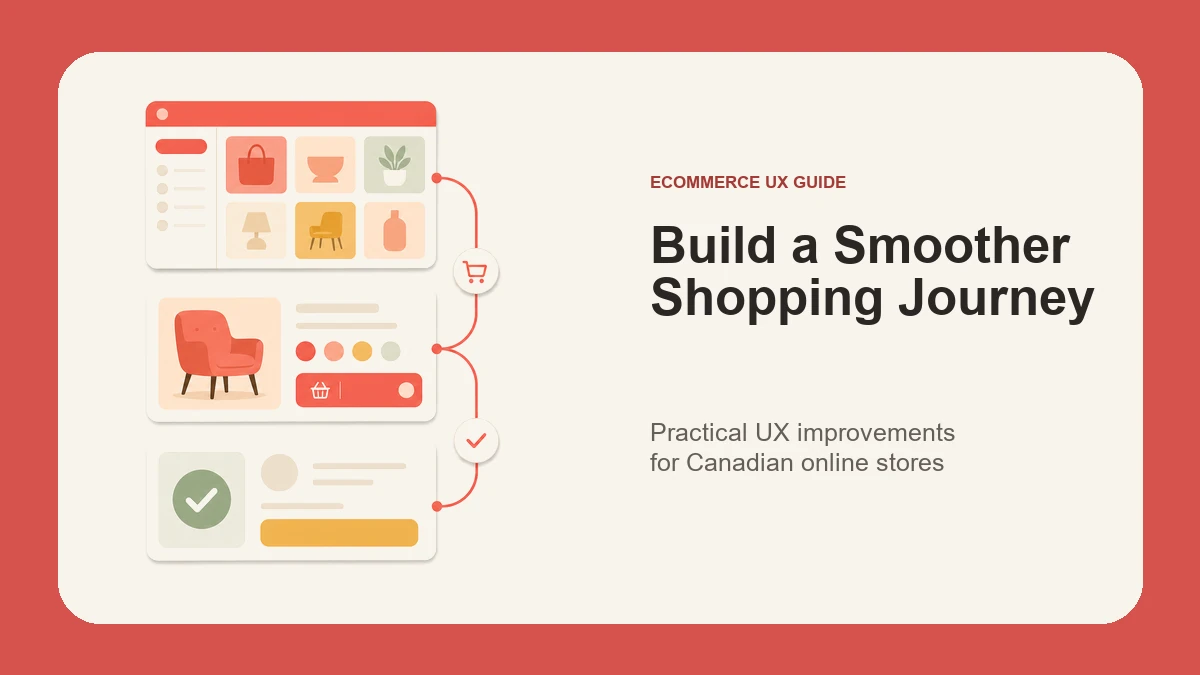
Map the main customer path:
- A visitor arrives from search, an advertisement, email, social media, a marketplace, or a direct recommendation.
- They browse a category, use search, or open a product page.
- They evaluate the product, price, options, delivery expectations, and store credibility.
- They add an item to the cart and review the order.
- They enter contact, delivery, and payment information.
- They receive confirmation and know what happens next.
Then map the exceptions. A product may be unavailable. A variant may not fit. A discount code may fail. Shipping may not serve the address. Payment may be declined. A useful experience explains the problem and provides a sensible recovery path.
Before prioritizing design changes, review analytics, search terms, support questions, form errors, refunds, and representative session recordings where consent and privacy practices allow them. The goal is to identify evidence of friction, not to copy features from a larger retailer.
Make product discovery predictable
Customers need a clear route to a manageable set of products. Navigation, categories, on-site search, filters, and sorting should use language that matches how customers describe the products.
For category and collection pages:
- Use category names that are specific enough to distinguish one group from another.
- Keep the hierarchy shallow enough that visitors can understand where they are.
- Show meaningful product information without turning every card into a miniature product page.
- Make filters easy to open, apply, review, and remove on mobile.
- Preserve selected filters when a customer returns from a product page.
- Explain zero-result states and suggest a useful next step.
Filters should reflect real buying criteria. Size, compatibility, material, availability, and price may be useful; internal catalogue labels usually are not. Avoid presenting dozens of filters merely because the product database contains those attributes.
On-site search needs its own review. Test common product names, brand terms the store is permitted to use, abbreviations, misspellings, and practical questions. A search box that looks prominent but produces poor results can create more frustration than a well-organized category path.
Nexxen Studio’s ecommerce website development services include information architecture, responsive design, and store implementation when discovery problems require structural changes.
Build product pages around customer decisions
A product page should help someone decide whether the item suits their needs. The content order should reflect the questions most likely to stop the purchase.
Make these details easy to find:
- Product identity and a concise explanation of its purpose.
- Clear price and any required recurring or additional charges.
- Available variants, with unavailable combinations identified before submission.
- Useful images that show important details, scale, and context.
- Dimensions, materials, compatibility, care, or specifications where relevant.
- Delivery, pickup, return, and warranty expectations.
- A clear add-to-cart control and confirmation that the action succeeded.
Variant controls should communicate state. If a customer selects a colour and size, the interface should show which combination is active, whether it is available, and whether the image or price has changed. Do not rely on colour alone to communicate selection.
Product descriptions should be original and specific. Repeating a manufacturer paragraph across many products makes comparison harder and gives the store little distinctive information. Use headings, short paragraphs, and lists so essential details remain scannable on a phone.
Google’s product structured data documentation explains how product information such as offers, reviews, ratings, and availability can be represented for eligible search experiences. Structured data must match visible, accurate page content and does not guarantee a particular search result.
Treat the cart as an editable review step
The cart is not merely a holding area. It is the customer’s opportunity to confirm the order before providing personal and payment information.
A useful cart allows customers to:
- Confirm the product, variant, quantity, and unit price.
- Increase, reduce, or remove quantities without unexpected page behaviour.
- See an understandable subtotal and known additional charges.
- Identify when shipping or tax will be calculated later.
- Return to the relevant product without losing the cart.
- Continue to checkout through one obvious primary action.
Avoid hiding important cost information behind a small tooltip or presenting an estimated total as if it were final. If a charge cannot be calculated until the destination is known, explain that plainly.
Discount-code fields deserve restraint. A highly prominent empty coupon field can imply that every customer should search elsewhere for a code. Place the option where it remains available without competing with checkout.
If the store platform, payment setup, shipping rules, or catalogue structure is still being planned, the WooCommerce website cost guide for Canada explains the operational decisions that influence scope beyond visual design.
Reduce checkout effort without removing clarity
Checkout should request only the information needed to complete and support the order. Every additional field creates work, but removing necessary explanation can also create uncertainty.
Review the checkout for:
- A guest-purchase path unless an account is genuinely required.
- Clear contact, delivery, billing, and payment sections.
- Visible labels that remain understandable after the customer starts typing.
- Appropriate input types and autocomplete attributes.
- Address and postal-code handling suited to the store’s supported regions.
- Specific validation messages placed near the affected field.
- An order summary that remains accessible before payment.
- A final button that clearly describes the action.
- A confirmation page and email with an order reference and next steps.
The W3C Web Accessibility Initiative recommends identifying form controls with properly associated labels and notes that visible labels help users understand fields. Its guidance for labeling form controls also explains why labels improve the clickable area and support assistive technology.
Do not clear correctly entered information after one field fails. Preserve the customer’s work, move focus appropriately, and explain how to correct the problem. For payment failures, avoid vague messages that leave the customer unsure whether an order was created or a charge occurred.
Design for mobile performance and interruption
Mobile ecommerce is not a smaller desktop layout. Narrow screens, touch input, variable networks, browser interfaces, and real-world interruptions change how people browse and pay.
Check that:
- Navigation, filters, variant controls, and cart actions can be used without precision tapping.
- Text remains readable without zooming.
- Sticky controls do not cover product details, errors, or checkout buttons.
- Images use appropriate dimensions and compression.
- Layout shifts do not move controls while a customer is trying to select them.
- Returning to the browser does not unexpectedly empty the cart or restart checkout.
Performance is part of the experience. Google’s current Web Vitals guidance defines Core Web Vitals around loading, interactivity, and visual stability. Its recommended thresholds are a Largest Contentful Paint within 2.5 seconds, Interaction to Next Paint of 200 milliseconds or less, and Cumulative Layout Shift of 0.1 or less, measured at the 75th percentile.
Those metrics help describe real experience, but they do not identify the cause by themselves. Large product images, third-party scripts, overloaded plugins, slow hosting, and expensive frontend interactions require different fixes. The WordPress speed optimization guide outlines a measured diagnostic process.
Make accessibility part of the shopping flow
Accessibility should be reviewed across browsing, product selection, cart updates, and checkout—not only on the home page.
Test the store with a keyboard and verify:
- Focus is visible and follows a logical order.
- Menus, filters, accordions, dialogs, and variant selectors can be operated.
- Product images have useful alternative text when they communicate information.
- Decorative images are not announced unnecessarily.
- Colour contrast supports readable text and recognizable controls.
- Status changes such as “added to cart” are communicated without relying only on animation.
- Error messages identify the problem and the field that needs attention.
Automated accessibility tools can find some issues, but they cannot decide whether product language is understandable or whether a keyboard journey makes sense. Combine automated checks with manual review and, when possible, testing by people who use assistive technologies.
Measure outcomes instead of interface activity
An ecommerce dashboard can contain hundreds of events. Focus on the questions that help the team make decisions.
Useful measurements may include:
- Search terms that produce no useful results.
- Category views that rarely lead to product views.
- Product pages with repeated variant errors.
- Add-to-cart actions that do not lead to cart review.
- Checkout steps with unusual exits or validation failures.
- Payment attempts, confirmed orders, refunds, and support contacts.
- Performance and error patterns segmented by device type.
Do not treat every exit as a failure. A customer may compare options, confirm a price, or return later through another device. Combine quantitative patterns with support conversations, usability tests, and direct observation.
When testing a change, write down the problem, the expected improvement, the primary measure, and the period required to evaluate it. Test one meaningful hypothesis at a time where practical. A different button colour is rarely the highest-value experiment if customers cannot understand shipping or choose a compatible variant.
For additional prioritization ideas, review the guide to ecommerce design strategies that support buying journeys.
Run a focused 30-day ecommerce UX review
A small team can use a four-week review without beginning with a full rebuild.
Week 1: Observe
Map the primary journey, review support questions, test search, and complete representative purchases on desktop and mobile. Record specific obstacles with URLs, devices, and steps to reproduce.
Week 2: Fix critical blockers
Prioritize broken controls, inaccessible forms, unclear errors, inaccurate product details, cost surprises, payment failures, and serious performance problems. Verify each fix in the complete journey.
Week 3: Improve decision support
Clarify categories, filters, product details, variant states, delivery expectations, returns, and cart totals. Remove duplicate or conflicting messages.
Week 4: Measure and plan
Confirm analytics events, review early behaviour, and create a ranked backlog. Separate content fixes, configuration changes, component improvements, and larger platform work so the next investment is based on evidence.
Know when targeted fixes are not enough
Targeted improvements are appropriate when the catalogue structure is sound and the platform can support the required experience. A structured redesign or rebuild may be more efficient when the store has overlapping plugins, inconsistent templates, unreliable checkout behaviour, unmaintainable custom code, poor mobile foundations, or a catalogue model that cannot represent the products accurately.
The decision should consider business operations as well as interface quality. Inventory, fulfilment, tax, shipping, returns, customer support, analytics, and content ownership all shape the customer experience.
Create a shopping journey customers can understand
Effective ecommerce UX makes the next step clear while giving customers enough information and control to make a confident decision. Start with discovery, product understanding, cart review, checkout clarity, mobile performance, and accessible recovery from errors. Measure the outcome, then improve the next most important obstacle.
If your store has confusing product paths, cart abandonment you cannot explain, mobile checkout problems, or an interface that has become difficult to maintain, contact Nexxen Studio to discuss an ecommerce UX review.